Shop Smarter with
AI That Compares
Open the web app and start asking. Compare products, dig into reviews, and get straight answers in seconds. Add the Chrome extension when you want it right on the page you're browsing.
No account required · Works in any browser · Dark mode included
Here's how they stack up:
Pixel 9a wins on camera processing; the 3a is the better value buy.Pulled from 12 review videos and spec sheets.
Start on the Web. Go Further with the Extension.
The web app is the full experience — nothing to install. The Chrome extension adds it to every page you browse.
Web App
Open it in any browser and start asking. No download, no sign-up.
- Compare any products by name — specs side by side
- Photos and review videos pulled in for each one
- Ask follow-ups with the full comparison still in context
- Works on desktop and mobile browsers
Chrome Extension
Everything in the web app, plus live prices from the page you're actually on.
- Sidebar opens right beside any website
- Add products with one click as you browse
- Real prices, read off the page you're on
- Price drop alerts on anything you track
Compare Anything
Not just prices — specs, reviews, and AI-backed recommendations across every category.
Products
Compare the same product across Amazon, HealthKart, Flipkart, or any store. AI builds a specs table and tells you which is the better buy.
Works on any product pageYouTube Reviews
Add multiple YouTube review videos of the same product. AI reads the transcripts and tells you where reviewers agree — and where they don't.
Unique to Productify AIVehicles
Compare car listings side by side. Price, mileage, service history, MOT, emissions, and reliability data — all in one AI-generated view.
AutoTrader supportedMore with the Chrome Extension
Everything below is what the extension adds on top of the web app — right inside the pages you already browse.
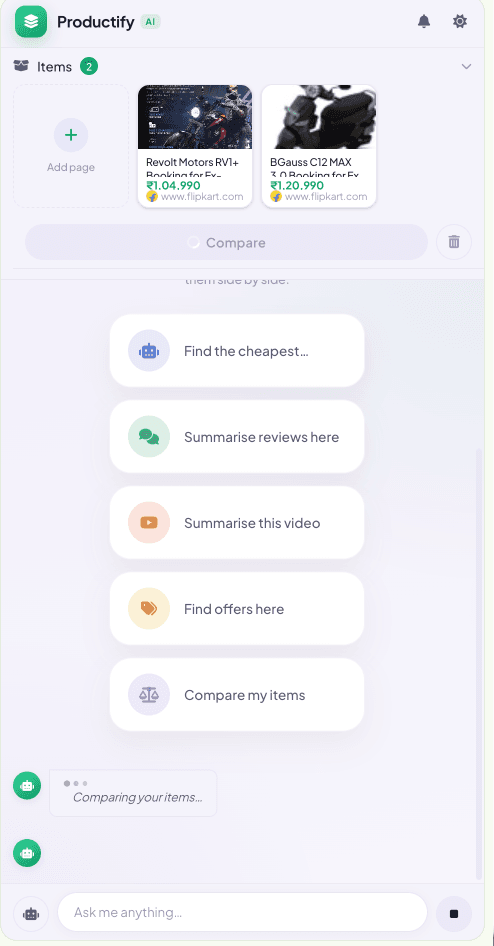
AI Product Comparison
Add products from any site. Get a structured side-by-side breakdown with a clear recommendation in seconds.
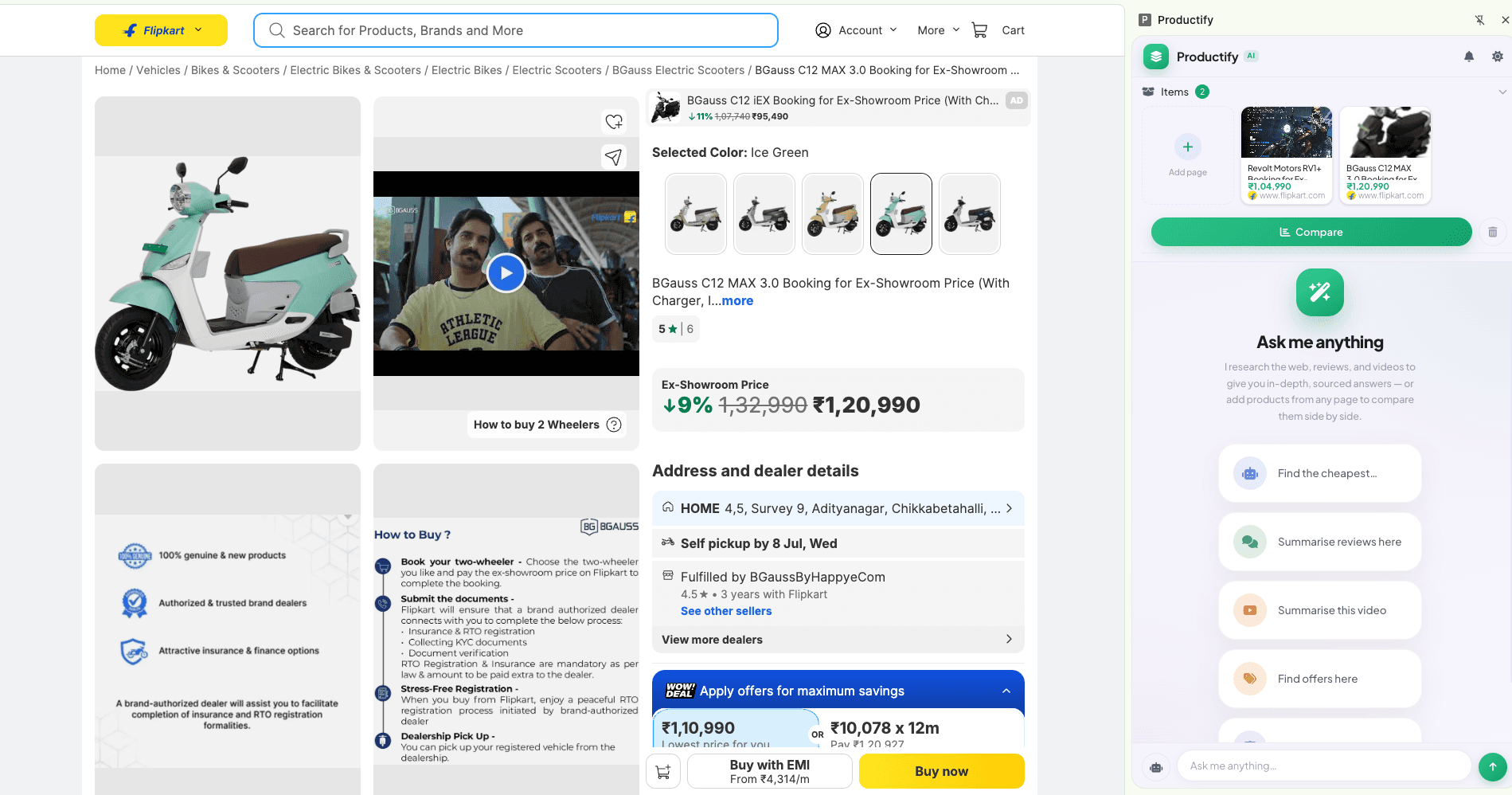
Works on Any Website
Amazon, Flipkart, HealthKart, AutoTrader, YouTube — or any site. One sidebar, every store.
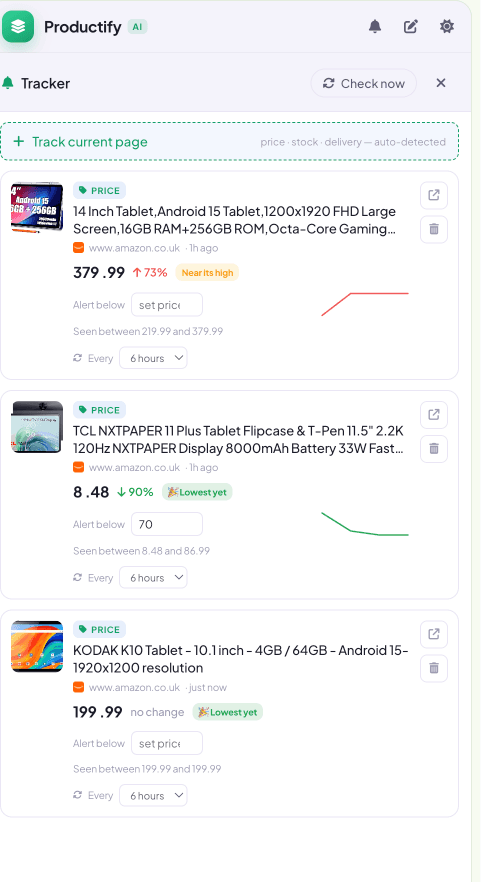
Price Drop Alerts
Track any product and get notified the moment the price falls. Live charts show you the full history.
How It Works
First comparison in under 30 seconds — in your browser, or in the sidebar
Open the Web App
Go to chat.produktify.com and start typing. Nothing to install, no account to create.
Add Products
Name them or paste links — products, videos, car listings. With the extension, one click as you browse.
Compare
Hit Compare. AI streams a structured side-by-side breakdown with a clear recommendation.
Ask Anything
"Is the cheaper one worth it?" Chat with full product context always in scope.
Why Productify AI
Nothing to install
WebThe web app runs in any browser. Open it, ask, compare — no download and no account.
AI Chat with full context
WebAfter comparing, keep asking follow-up questions. The AI remembers everything you added and compared.
Works on any website
ExtensionNot just Amazon. Add products from any site — the extension reads specs, price, and features off the page.
Price Drop Alerts
ExtensionTrack any product and get notified the moment the price falls. No more refreshing product pages.
Stop switching tabs. Start buying smarter.
Free to use. No account needed. Open it right now.